Site.pro
  • AI Website Builder
    • AI Website Builder
    • Online Stores
    • Prices
    • Collaboration
    • Website Import
    • Plugins
    • Website Builder
    • Templates
    • For Design Studios
    • Useful Links
    • Affiliate Program
    • We Build for You
    • Examples
    • Languages
  • Domains
    • Register Domain Name
    • Migrate Domains
    • For Domain Investors
    • Domain Zones
    • Domainity
    • FAQ: Domains
    • Popular Domain Zones
    • .com
    • .org
    • .net
    • .us
    • .co
  • Email
    • Free Email
    • Email for Business
    • Prices
    • Transfer Emails
    • Custom Domain Email
    • FAQ: Email
    • Popular FAQs
    • Email Setup
    • Auto Reply
    • Auto Forwarding
    • Spam Protection
  • Accounting Software
    • Accounting Software
    • Modules
    • Prices
    • Integrations, API
    • Accounting Companies (385)
    • Software Integrators (52)
    • Affiliate Partners
    • Useful Links
    • Business Types
    • Use Cases
    • Accounting Companies
    • Sole Proprietor
    • Invoicing
    • Farmer
    • E-commerce
  • For Resellers
    • White Label
    • Revenue Share
    • Prices
    • Panels
    • How it Works
    • Marketing Materials
    • Mass Import
    • Our Partners
    • Reselling Examples
    • Documentation
    • Free Websites
  • Learn
    • Knowledge Base
    • Blog
    • Growth Hacking
    • For Hostings
    • For Education
    • Website Сreation Tutorial
    • Teaching Institutions (70)
    • Accounting Courses Worldwide
  • AI Website Builder
    • AI Website BuilderAI creates websites for you
    • Online StoresBuild online stores
    • PricesAdvanced Features
    • CollaborationCo-create websites live
    • Website ImportImport Any Website
    • PluginsBuilder plugin and functions
    • Website BuilderKey Features
    • Templates200+ Awesome Templates
    • For Design StudiosBenefits for Design Studios
    • Useful Links
    • Affiliate Program
    • We Build for You
    • Examples
    • Languages
  • Domains
    • Register Domain NameDomain registration, parking, transfer
    • Migrate DomainsTransfer. Connect. Renew
    • For Domain InvestorsDiscount on all domains
    • Domain ZonesBuy New Domain Name
    • DomainityDomain usage by country
    • FAQ: DomainsFind Answer
    • Popular Domain Zones
    • .com
    • .org
    • .net
    • .us
    • .co
  • Email
    • Free EmailCreate email
    • Email for BusinessAdvanced features & protection
    • PricesCheap email hosting
    • Transfer EmailsMigrate your mailboxes
    • Custom Domain EmailEmail address with your domain
    • FAQ: EmailFind Answer
    • Popular FAQs
    • Email Setup
    • Auto Reply
    • Auto Forwarding
    • Spam Protection
  • Accounting Software
    • Accounting SoftwareCloud based ERP
    • ModulesMain accounting software modules
    • Prices30 days free trial
    • Integrations, APIIntegration with external systems
    • Accounting Companies (385)Choose your partner for accounting
    • Software Integrators (52)Pick your integrations partner
    • Affiliate PartnersPartners and Affiliate program
    • Useful LinksCalculators and Calendars
    • Business TypesUse Cases
    • Use Cases
    • Accounting Companies
    • Sole Proprietor
    • Invoicing
    • Farmer
    • E-commerce
  • For ResellersWhite Label
    • White LabelCustomise Builder
    • Revenue ShareEarn 50% from each upgrade
    • PricesRevenue Share. White Label
    • PanelsOne product for all platforms
    • How it WorksCloud or On-Premises
    • Marketing MaterialsVideo. Mockups. Blocks
    • Mass Import
    • Our Partners
    • Reselling Examples
    • Documentation
    • Free Websites
  • Learn
    • Knowledge BaseFAQ, Tutorial, Video
    • BlogSite.pro Blog
    • Growth HackingBoost your sales
    • For HostingsTips on marketing
    • For EducationTraining. Tutorials
    • Website Сreation Tutorial
    • Teaching Institutions (70)
    • Accounting Courses Worldwide
  • Register
    Site.pro

    Create Your Account

    Get started — free and easy!

    Register

    By proceeding, you accept our Terms of Service and Privacy Policy
  • Log in
    Site.pro

    Welcome back!

    Access your work space

    Log in

    New user? Create account
    Forgot password?
  • $
  • English
  • Hosting Tips (74)
  • Shared Hosting (20)
  • Web Design (19)
  • Marketing (7)
  • Education (8)
  • eCommerce (7)
  • Cloud Accounting (2)

Table of Contents:

Category
Search

Table of Contents:

Using Technology to Improve Customer Interaction: The Benefits of Real-Time Chat on Your Website

Using Technology to Improve Customer Interaction: The Benefits of Real-Time Chat on Your Website

Real-time chat is a must-have tool in today's fast-paced and competitive business world. It helps you stay ahead of the curve by gaining a competitive advantage and driving growth by building stronger customer relationships.

With customers increasingly turning to online channels for support and service, live chats allow you to connect with your customers promptly and efficiently. It enables you to resolve customer queries quickly, address customer concerns in real-time, and provide personalised support that enhances customer satisfaction.

Real-time chat can help gather valuable customer feedback and insights, enabling you to improve your products and services on a regular basis.

How real-time chat impacts customer satisfaction

Real-time chat allows customers to receive instant responses to their queries without waiting for an email or phone call back. This faster response time improves customer satisfaction levels and reduces frustration and the likelihood of negative reviews. According to Kayako’s Live Chat Statistics, businesses using live chat see customer satisfaction scores up to 73% higher compared to email or phone support alone.

Additionally, you can provide personalised support with real-time chat, allowing agents to tailor their responses to the individual customer's needs and preferences. This personalised support can help build stronger customer relationships and increase the number of loyal customers.

Real-timeImage source: Unsplash

Live chat enables efficient problem resolution through:

  • Multi-tasking: Agents handle multiple conversations simultaneously
  • Collaboration: Support staff work together on complex issues
  • Chat history: Full transcript available for context and follow-up
  • Screen sharing: Visual guidance for technical problems

Research consistently shows that customers who engage via live chat are significantly more likely to convert. Statista (2025) reports that over 50% of customers are more likely to purchase from a business that offers live chat support during their shopping journey.

How real-time chat increases sales and conversions

Real-time chat plays a crucial role in increasing sales by providing businesses with an opportunity to engage with customers proactively, address their concerns, and offer personalised support that can help increase conversions and sales.

You can use real-time chat to provide product recommendations and answer questions about pricing or features, as well as guide customers through the purchasing process, which can help increase customer confidence and ultimately lead to higher sales. Statista (2025) reports that over 50% of customers are more likely to purchase from a business that offers live chat support.

Real-time chat helps in several ways:

  • Product recommendations: Suggest relevant products based on browsing behaviour
  • Pricing and features: Answer questions instantly during the decision process
  • Checkout assistance: Guide customers through purchase to reduce cart abandonment
  • Lead identification: Analyse behaviour to spot potential opportunities

By leveraging real-time chat to connect with customers, you can build stronger relationships, increase customer loyalty, and ultimately drive growth.

The benefits of real-time chat

Real-time chat solutions offer several benefits over other communication channels, such as email or phone calls, which make them an increasingly popular choice for businesses looking to enhance their customer experience.

Live Chat Email Support Phone Support
Response time Instant (seconds) Hours to days Minutes (on hold)
Customer satisfaction 73% higher (Kayako, 2025) Moderate High
Cost per interaction Low — one agent handles multiple chats Low High
Best for Quick questions, pre-sales, conversions Complex issues, documentation Urgent or sensitive issues

Real-time chatImage source: Unsplash

A significant live chat benefit is its speed and efficiency, enabling customers to receive on-the-spot responses to their queries without having to wait for a response. This faster response time improves customer satisfaction, reduces customer frustration, and increases the likelihood of converting leads into sales. A Gartner Customer service trends that offer real-time engagement channels (including live chat) consistently achieve higher customer satisfaction rates compared to those relying only on traditional channels.

In addition to having created an effective landing page, real-time chat allows businesses to offer personalised support and build even stronger customer relationships by tailoring responses to the individual customer's needs and preferences.

As a result, businesses can continually improve their products and services by gathering valuable customer feedback and insights through real-time chat.

How Real-Time Chat Works

Live chat tools are an instant messaging system that enables businesses to communicate with their customers in real-time through chat-based platforms such as messaging apps or live chat on a company's website.

Customers can access real-time chat through various touchpoints, including a company's website, social media platforms, or mobile applications. Real-time chat typically involves an AI chatbot or live chat agents who respond to customer queries and provide support.

In the case of a chatbot, the system uses pre-programmed responses to answer frequently asked questions and provide basic support, whereas a live agent can offer personalised support and address more complex queries.

Real-time chat often includes additional features:

  • File sharing: Send documents, screenshots, and other attachments during conversations
  • Video chat: Face-to-face support for technical or sales discussions
  • Screen sharing: Visual guidance for troubleshooting and training

The Types of Real-Time Chat

There are several types of real-time chat available to businesses for interacting with their customers, each offering unique features and benefits:

  • Live Chat: Live chat app typically involves chat windows that appear on a company's website, allowing customers to ask questions and receive immediate responses from a live agent.
  • Messaging Apps: Messaging apps such as WhatsApp, Messenger from Meta, and WeChat have become increasingly popular channels for real-time chat.
  • Chatbots: Chatbots are automated live chat software that uses artificial intelligence (AI) and natural language processing (NLP) to respond to customer queries. Chatbots are available 24/7.
  • Video Chat: Video chat enables businesses to provide face-to-face customer support for technical or sales-related queries requiring more in-depth discussion.
  • Screen Sharing: Screen sharing allows businesses to share their computer screen with customers, enabling them to provide more comprehensive technical support and/or conduct training sessions.

The table below compares the three most common types:

Live Agent Chat Chatbot Messaging Apps
Response type Human agent responds AI responds automatically Human or automated
Availability Business hours 24/7 24/7
Cost Higher (salaries, training) Lower (setup + maintenance) Low (existing platform)
Personalisation High — human empathy Limited to programmed responses Moderate
Complexity handling High — any issue Low to medium — predefined scenarios Moderate
Best for Complex support, sales FAQ, order status, simple questions Ongoing conversations

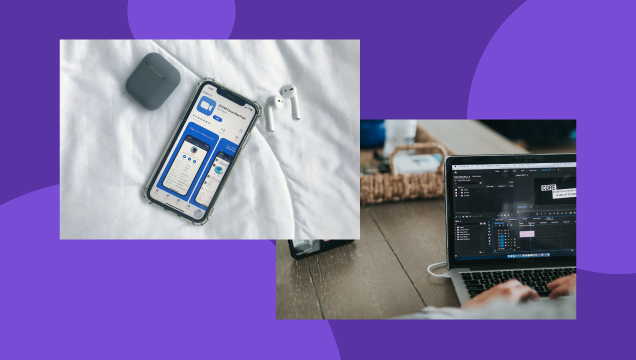
Video Chat ExampleImage source: Unsplash

Using Real-Time Chat Effectively

The best practices for using real-time chat effectively include a customer-centric approach that prioritises speed, personalization, and convenience while continually gathering valuable data to improve the customer experience. Below are some live chat best practices to consider.

  • Be Available: Ensure that chat agents or chatbots can promptly respond to customer pain points and queries.
  • Be Responsive: Respond to customer queries quickly, ideally within seconds or minutes.
  • Personalise the Experience: Use the customer's name and previous interaction history to personalise the conversation and provide tailored support.
  • Use Pre-Chat Surveys: Use pre-chat surveys or knowledge bases to gather relevant information about the customer and their query to streamline the support process.
  • Use Canned Responses: Use pre-written responses to frequently asked questions to save time, minimise resolution time, and provide consistent support.
  • Be Clear and Concise: Use clear and concise language to communicate with customers and avoid misunderstandings.
  • Provide Multilingual Support: Offer support in multiple languages to overcome the language barrier and cater to customers from different regions.
  • Analyse Chat Data: Analyse chat data to gain insights into customer behaviour, preferences, and pain points and identify areas for improvement.

How to Choose Real-Time Chat Software

Choosing the right real-time chat software can be challenging, as there are many options available in the market, each with its own set of features and capabilities. Here are the key factors to consider:

  • Features: Look for software that offers the needed features, such as video and audio calls, screen sharing, file sharing, chatbots, and more. Ensure the software integrates with third-party tools and partner programs, like project management or CRM software.
  • Scalability: Choose chat software that can scale as your business grows. Make sure it can handle an increasing number of users and conversations without affecting performance.
  • Security: Ensure the software you choose offers robust security features such as end-to-end encryption, user authentication, access control, and more.
  • Ease of use: The chat software should be easy to use and intuitive for the admin and users. Make sure the software offers a clean and simple interface and easy navigation.
  • Customer support: Choose software with excellent customer support, including a knowledgeable support team and helpful documentation.
  • Pricing: Look for software that offers affordable pricing plans matching your needs and budget.

Real-Time Chat ExampleImage source: Unsplash

Real-Time Chat Best Practices

In this section, we shall learn about real-time chat best practices under three major topics.

Making real-time chat available to customers

Customers can easily initiate a chat session when they need support if you place chat buttons in strategic locations, such as product pages or checkout pages.

Key strategies for availability:

  • Strategic placement: Position chat buttons on product pages and checkout pages for easy access
  • Proactive invitations: Trigger chat when visitor intent is detected — hesitation on a pricing page, time on a product page, or cart abandonment
  • Mobile optimisation: Ensure chat works seamlessly on smartphones and tablets for on-the-go support

Proactive chat invitations can encourage customers to engage in a chat session by providing personalised assistance at critical points in the customer journey. This can improve the customer experience and increase the likelihood of a sale. Offering chat on mobile devices can make real-time support available to customers on the go, increasing the accessibility and convenience of the service.

By using these strategies, you can make real-time chat available to customers in a way that is convenient, accessible, and personalised, enhancing the general customer experience and driving growth and success.

Optimising chat conversations

Industry benchmarks show that the average first response time for live chat is around 47 seconds, while top-performing companies respond in under 20 seconds. Fast response times are one of the biggest drivers of customer satisfaction in live chat.

Optimisation techniques:

  • Automation: Use chatbots to handle routine inquiries instantly, freeing up support staff for complex issues
  • Personalisation: Tailor responses to the customer's specific needs and preferences to build trust and loyalty
  • Canned responses: Use pre-written responses for common inquiries while maintaining a personalised touch

Providing personalised responses is also essential for creating a positive customer experience. By tailoring responses to the customer's specific needs and preferences, you can build trust and establish credibility, thus increasing customer loyalty.

Responding quickly to customer inquiriesImage source: Unsplash

Additionally, canned responses effectively help staff provide fast and efficient support while maintaining a personalised touch. Canned responses can be used to address common inquiries, providing support staff with pre-written responses that can be customised as needed.

By optimising live chat conversations in this way, you can enhance the customer experience, improve efficiency, and achieve long-term success.

Integrating chat with other customer support channels

By offering alternative communication channels, such as phone or email support, businesses can provide customers with additional options for accessing support, accommodating different customer preferences and needs.

Key integration practices:

  • Multi-channel availability: Offer phone and email as fallback options for customers who prefer them
  • Conversation transfer: Move complex issues to the right channel or specialist without losing context from the chat transcript
  • Interaction recording: Maintain chat history for future reference — helps identify trends and improves service over time

Transferring conversations to other support channels can help you resolve complex issues requiring additional resources or expertise. This can help ensure that customer inquiries are handled efficiently and effectively, enhancing the overall customer experience.

Furthermore, recording chat interactions for future reference can benefit both the business and the customer. Maintaining a chat interaction record lets you identify common customer issues and improve their support services accordingly. Customers can also refer to previous interactions to refresh their memory or provide context for future inquiries.

By following these real-time chat finest practices, you can provide a seamless and effective support experience, building customer loyalty over the long term.

Real-Time Chat Metrics to Track

Let us discuss the real-time chat metrics you must track for continuous business growth, unparalleled customer interaction, and experience.

Metric Benchmark
Average first response time 47 seconds (Help Scout, 2025)
Top-performing first response time Under 20 seconds
Average resolution time (live chat) 3-6 minutes
Customer satisfaction lift with live chat 73% higher (Kayako, 2025)
Conversion uplift with live chat Up to 20%
Customers more likely to purchase 50%+ (Statista, 2025)

Monitoring chat volume and availability

Businesses can track chat requests and response times to gain insight into customer behaviour and identify areas for improvement in their support services.

Key monitoring areas:

  • Chat volume trends: Track number of chats per day/week/month to identify peak periods
  • Response time tracking: Measure how quickly agents respond to identify bottlenecks
  • Peak traffic coverage: Ensure adequate staffing during high-volume hours to minimise wait times

Tracking these metrics helps identify potential bottlenecks in support operations and take steps to address them, such as implementing automation tools like chatbots to handle multiple routine inquiries.

Analysing chat data for trends, such as common customer inquiries, can help you optimise your support services and improve the customer experience.

Chat availability on different screensImage source: Unsplash

Ensuring chat availability during peak traffic times can also help you handle a high volume of customer inquiries efficiently, minimise wait times and reduce customer frustration.

Measuring customer satisfaction with chat interactions

Businesses can use post-chat surveys to gather customer feedback about their experience with the chat interaction. This feedback can help you identify areas for improvement and understand the specific pain points that customers may be experiencing. By tracking these metrics and gathering feedback through surveys, you can continually refine and improve your chat interactions, ultimately leading to higher levels of customer satisfaction.

Analysing chat transcripts is another important aspect of improving chat interactions. By reviewing transcripts, you can identify patterns and trends in the types of questions and issues customers frequently bring up. This can help you identify areas where your team may need additional training or support or where improvements can be made to the chat interface itself. You can also analyse transcripts for quality and effectiveness, looking for opportunities to improve the clarity and relevance of the provided information.

By continuously analysing transcripts and using the insights gained to improve, you can ensure that your chat interactions deliver the best possible experience to your customers.

Choosing Real-time Chat Software

With many available options, choosing the right real-time chat software can be daunting. From features and pricing to security and ease of use, several factors must be considered before deciding.

This section will provide you with a comprehensive guide on choosing the right real-time chat software for your business or organisation.

Exploring different real-time chat software options

When exploring different real-time chat software options, consider these factors:

  • Paid vs free: Paid options offer more features, customization, and dedicated support. Free options suit tight budgets but may have limitations.
  • Feature comparison: Look for chat prioritisation, automated responses, and CRM integration capabilities.
  • Scalability: Ensure the software can grow with your business without requiring a migration.
  • Customer reviews: Examine reviews from companies similar in size and industry to your own.

Once you have narrowed down your options based on pricing, it's important to compare the features of each software option. Look for features like chat prioritisation, automated responses, and integration with tools like customer relationship management (CRM) software. Additionally, consider the scalability of the software, as well as its ease of use and the level of customization it offers.

Video ChatImage source: Unsplash

Customer reviews and feedback can also be valuable resources when exploring different real-time chat software options. Examine reviews from companies similar in size and industry to your own, as their experiences may be relevant to your needs. Pay attention to comments on the software's reliability, ease of use, and customer support, as these factors can greatly impact your overall experience with the software.

All in all, you can find the real-time chat software that best meets your needs and budget by considering pricing, features, and customer feedback.

Evaluating software integrations and compatibility

Choosing the right real-time chat software involves evaluating several factors, including software integrations and compatibility with website platforms and the most popular web browsers.

Another important factor to consider when choosing real-time chat software is integration with other customer support software. Look for software that can integrate with your CRM software, ticketing systems, and other customer support tools you use. This will provide a more streamlined customer support experience and a comprehensive view of customer interactions.

Consider these evaluation criteria:

  • CRM integration: Seamless connection with your existing CRM system for unified customer data
  • Ticketing system: Integration with help desk or ticketing tools for structured issue tracking
  • Customisation: Ability to brand the chat widget and adjust its functionality to match your business needs
  • Browser and device compatibility: Works reliably across major browsers and devices

It's important to consider customization options and flexibility when evaluating real-time chat software options. Look for software that allows you to customise the chat widget's appearance and functionality to match your brand and meet the specific needs of your business. Moreover, consider the level of flexibility the software offers in terms of how you can use it and how it can be customised to fit your business needs.

The more flexibility and customization options available, the more likely you will find chat software that meets your specific requirements.

Implementation and Maintenance of Real-Time Chat

In this section, we shall learn about the implementation and maintenance of real-life chat under three major headings.

Setting up and configuring real-time chat software

Setting up and configuring real-time chat software can be a complex process, but you can follow a few key steps to ensure success:

  1. 1. Customise appearance: Match chat window theme, colours, and logo to your brand. Configure notifications for real-time alerts.
  2. 2. Set up pre-chat surveys: Gather customer information before the conversation begins to streamline support.
  3. 3. Create canned responses: Write pre-prepared messages for frequently asked questions to save time and ensure consistency.
  4. 4. Build chat scripts: Develop step-by-step guides for handling specific types of customer inquiries.
  5. 5. Integrate with other systems: Connect chat software with your CRM or ticketing system for a unified view of customer interactions.

First, customise chat windows and notifications to match your brand and meet your specific needs. This includes selecting the right chat window theme, colours, and logo and configuring notifications to ensure your team is notified in real time when a new chat comes in. Before the chat begins, you may also consider adding pre-chat surveys to gather more customer information.

Using Real-Time ChatImage source: Unsplash

Second, create canned responses and chat scripts to help your team respond quickly and accurately to common questions and issues. Canned replies are pre-written messages that can be quickly inserted into a chat conversation. In contrast, chat scripts provide a step-by-step guide for handling specific customer inquiries. Both of these tools can save your team time and improve the quality of your customer support.

Finally, integrate your chat software with other software and systems, such as your CRM or ticketing system. It streamlines your customer support process and provides a more comprehensive view of customer interactions.

By following these steps, you can set up and configure real-time chat software to meet your specific business needs and improve the quality of your customer support.

Training and managing chat agents

To train and manage chat agents effectively, it is essential to have a well-defined strategy that covers hiring, training, performance monitoring, and feedback.

The key steps are:

  1. Hire the right people: Select individuals with the necessary skills and qualities to succeed in a chat support role.
  2. Provide comprehensive training: Cover products, services, processes, and communication skills to ensure effective support delivery.
  3. Set performance metrics: Define targets for response time, resolution rate, customer satisfaction, and conversion rates.
  4. Monitor chat interactions: Use analytics tools to analyse transcripts and identify patterns and trends.
  5. Provide feedback and coaching: Use performance data to give targeted feedback and help agents improve.

The first step is to hire the right individuals with the necessary skills and qualities to succeed in a chat support role. Once you have the right team in place, you must provide them with comprehensive training on your products, services, and processes to ensure they can deliver effective customer support.

To evaluate the performance of your chat agents, you need to set performance metrics and targets that align with your business goals. These metrics could include response time, resolution rate, customer satisfaction, and sale conversion rates.

Regularly monitoring chat interactions is also critical to identify areas for improvement and provide feedback to your chat agents. Chat analytics tools can analyse chat transcripts and identify patterns and trends.

Finally, providing feedback and coaching is crucial to help your chat agents improve their performance. Ensure that you provide regular feedback and coaching to help your chat agents develop the skills and knowledge they need to deliver exceptional customer support. You can use the data from performance monitoring to provide targeted feedback and coaching to each agent, helping them address their strengths and weaknesses.

Following these steps, you can effectively train and manage your chat agents, improving your overall chat support performance and customer satisfaction.

Continual improvement of real-time chat

Analysing chat data and customer feedback is essential to improve real-time chat continually. Businesses can gain insights into customers' preferences, behaviours, customer stories, and pain points by analysing chat and customer data.

Customer feedback can also provide valuable insights into improving chat for your website. You can use surveys or feedback forms to gather information about customer satisfaction, suggestions for improvement, and areas of frustration. This data can help you understand where your chat agents are struggling and where they need additional training.

Video ChatImage source: Unsplash

The improvement cycle:

  1. Analyse data: Review chat transcripts and customer feedback to identify patterns and pain points.
  2. Update resources: Refresh chat scripts and canned responses based on the most common customer inquiries.
  3. Review metrics: Regularly check chat volume, response time, customer satisfaction, sales, and conversion data.
  4. Adjust processes: Make changes to staffing, chatbot messaging, or workflows based on metric insights.
  5. Repeat: Continuously iterate based on new data and feedback.

Once you have analysed chat data and customer feedback, the next step is to update chat scripts and canned responses. Chat scripts guide chat agents, and canned responses help them quickly respond to frequently asked questions.

You can better support your customers by updating these resources based on feedback and data analysis. For example, if customers frequently ask about a particular feature or product, you can update your canned responses to provide more detailed information. You need to ensure that agents consistently deliver high-quality customer support by providing updated scripts and canned responses.

Finally, evaluating chat performance and making necessary changes is the critical step to improving the chat experience. You should regularly review metrics like chat volume, response time, customer satisfaction, and sales and conversions to identify areas of improvement. You can use this data to change chat processes, such as adjusting staffing levels or changing the chatbot's messaging. You should also track agent performance and provide feedback and coaching as necessary.

Case Studies and Success Stories

Now, let us move on to real-life case studies and success stories. Numerous businesses have successfully implemented real-time chat in their customer support strategy. Below are some real-world examples of best practices in real-time chat implementation and maintenance:

  • HubSpot: HubSpot's chat tool offers a variety of features, such as chatbots, live chat, and chat routing, to ensure customers get the support they need quickly.
  • Zendesk: Zendesk offers a comprehensive suite of customer service tools, including a real-time chat feature allowing customers to communicate with businesses instantly.
  • Shopify: Shopify offers a live chat feature to help businesses provide quick and efficient customer support.
  • Intercom: Intercom's live chat tool is designed to be fast and reliable, offering features such as automated messaging and chat routing.
  • KrispCall: KrispCall's cheap virtual call centre software offers various live chat features, such as the ability to view and respond to multiple chat conversations simultaneously, canned responses to FAQs, chat history, and transcripts.
  • Tawk.to: Tawk.to chat tool is designed to be easy to use and includes features like chat routing and chat transcripts.
  • Drift: Drift offers a real-time chat feature designed to help businesses generate leads and engage with customers in a personalised way, including features such as chatbots and chat routing.
  • Salesforce: Salesforce offers a real-time chat feature to help businesses provide personalised customer support and includes features such as chat transcripts and chat history.
  • Acquire: Acquire chat tool helps businesses engage with customers in real-time and includes features such as chatbots and chat routing.
  • LiveChat: LiveChat tool is designed to be easy to use and includes features such as chat history and transcripts.

Learn more about improving user engagement through interactive web design techniques.

Conclusion

Customer interaction is essential to any business as it helps build trust, retain loyal customers, and cultivate a positive reputation. It helps you understand customer needs, address their concerns, build relationships, provide personalised services, and improve customer satisfaction.

Having said that, real-time chat has become a go-to platform for elevated customer interactions. It offers several benefits, like instant personalised communication, reduced waiting time, immediate assistance, improved customer satisfaction, and boosted sales and conversion rates with cost-effective solutions.

All things considered, real-time chat is a valuable tool you can use to meet business expectations and provide excellent customer interactions. However, you must ensure you have the resources in place to effectively manage real-time chat interactions, including trained staff and appropriate technology. Though, pay attention that in order to realise full benefits of the real-time chat, it must be implemented effectively.

Author: Sienna Martin

How To Design A Mobile Responsive Website
11 Features To Look For In A Website Builder for Hosting Businesses
© Site.pro 2011. Website Builder. United States.
Contact SalesTerms of ServicePrivacy PolicyCookie Settings